One place to see relevant work
Bring priorities, tasks, approvals and related context into a workspace for your role. Spend less effort checking separate applications to understand the work you own.
Explore your work surfaceSPINEWORKSPACE · BUSINESS CONTEXT FOR HUMANS & AI
Bring work, priorities, decisions, and evidence together across the tools you already use. Give people and AI the context to understand what matters, prepare the next step, and carry work forward with control.
Humans govern the business. AI helps the business work.
Why choose SpineWorkspace
When work crosses CRM, support, finance, and team conversations, SpineWorkspace is designed to connect the context around it. You get a place to understand the situation, prepare the next step with AI, and review it with the people responsible.
Bring priorities, tasks, approvals and related context into a workspace for your role. Spend less effort checking separate applications to understand the work you own.
Explore your work surfaceUnderstand how customers, conversations, tasks and decisions relate across authorized systems. Your existing tools remain the systems of record, with the relevant business picture brought together for review.
Explore connected toolsPrepare summaries, investigate issues and propose useful next steps with relevant business context. Review the Twin’s work with the people responsible for the decision.
Meet your TwinKeep the history, decisions and outcomes needed to resume a task or hand it over. Give the next person a clearer starting point without repeatedly reconstructing the same story.
Explore work continuityInspect the sources behind a recommendation and keep missing or stale context visible. Review the evidence alongside the decision you need to make.
Explore business contextUse your Twin to gather context and prepare proposals. Check the evidence and the authority to act, then verify what happened. People retain judgment and accountability for consequential decisions.
Explore governed decisionsTHE WORKSPACE, IN DETAIL
SpineWorkspace is the product. Its human work surface and AI counterpart bring connected business context into everyday work.
01
Keep the purpose of the work visible. Bring goals, priorities, and related signals together so the next step has a clear business reason.
02
Relate customer records, conversations, decisions, and evidence across your existing tools. Source systems remain authoritative.
03
Bring relevant work and context to the person responsible. Different teams can work from a shared business picture.
04
An AI counterpart helps gather understanding, prepare work, and propose useful next steps. People retain judgment and accountability.
05
Review the sources behind a conclusion. Missing or stale context stays visible instead of becoming a confident assumption.
06
Keep proposals separate from execution. Consequential actions require appropriate authority, followed by observation and verification.
HOW THE WORKSPACE WORKS
STEP 01
Start from a customer, goal, signal, or piece of work. Bring related records and evidence into the review.
STEP 02
People and their Twin work from the same context. The Twin can help assemble information and propose next steps.
STEP 03
The responsible person reviews evidence and permissions. Authorized execution stays separate from a proposal.
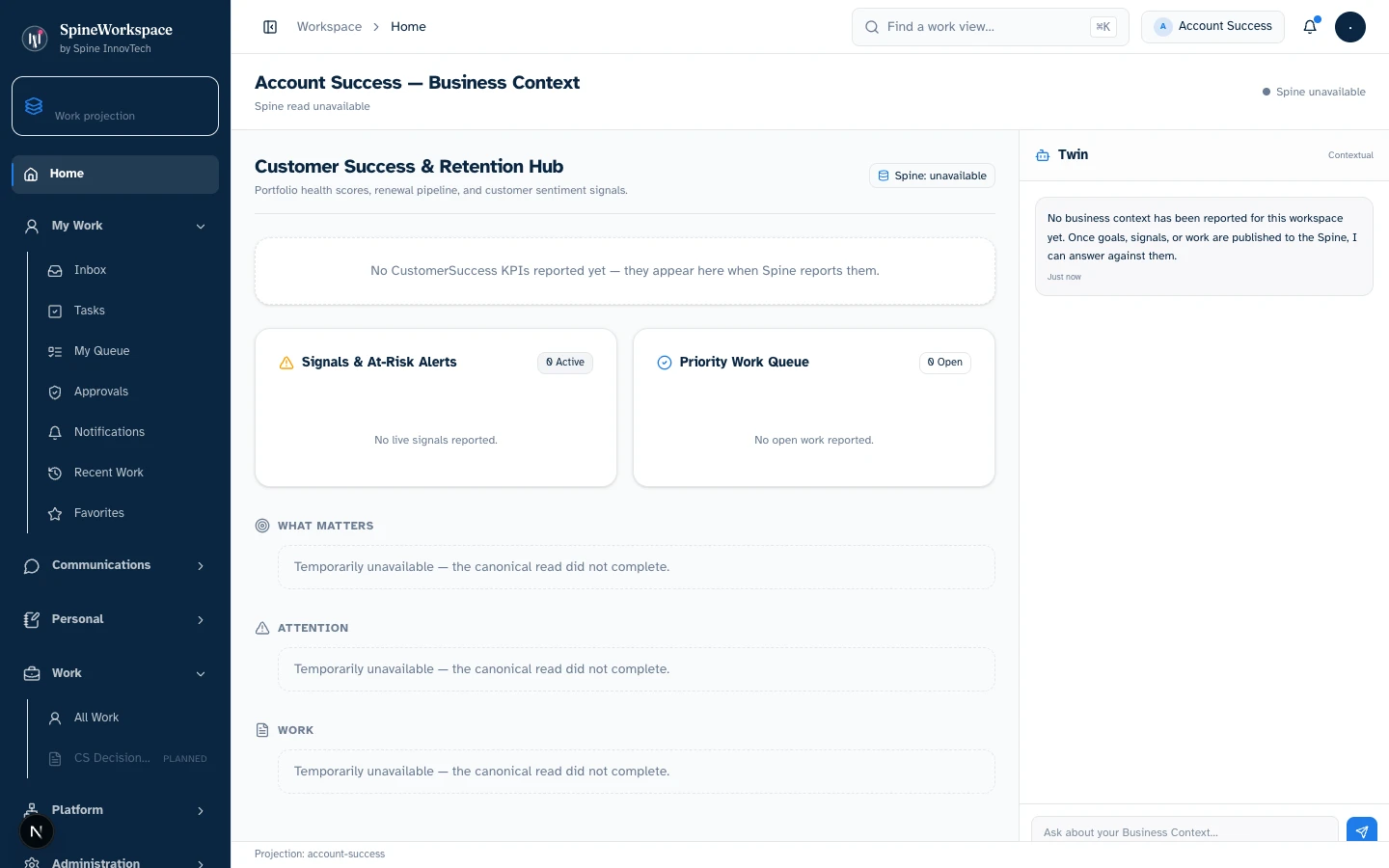
Explore the real Workbench application. Every screenshot below is captured directly from the authentic codebase—preserving the canonical left navigation shell, role-specific Work projections, demonstration telemetry cards, and context-aware Spine Twin controls.
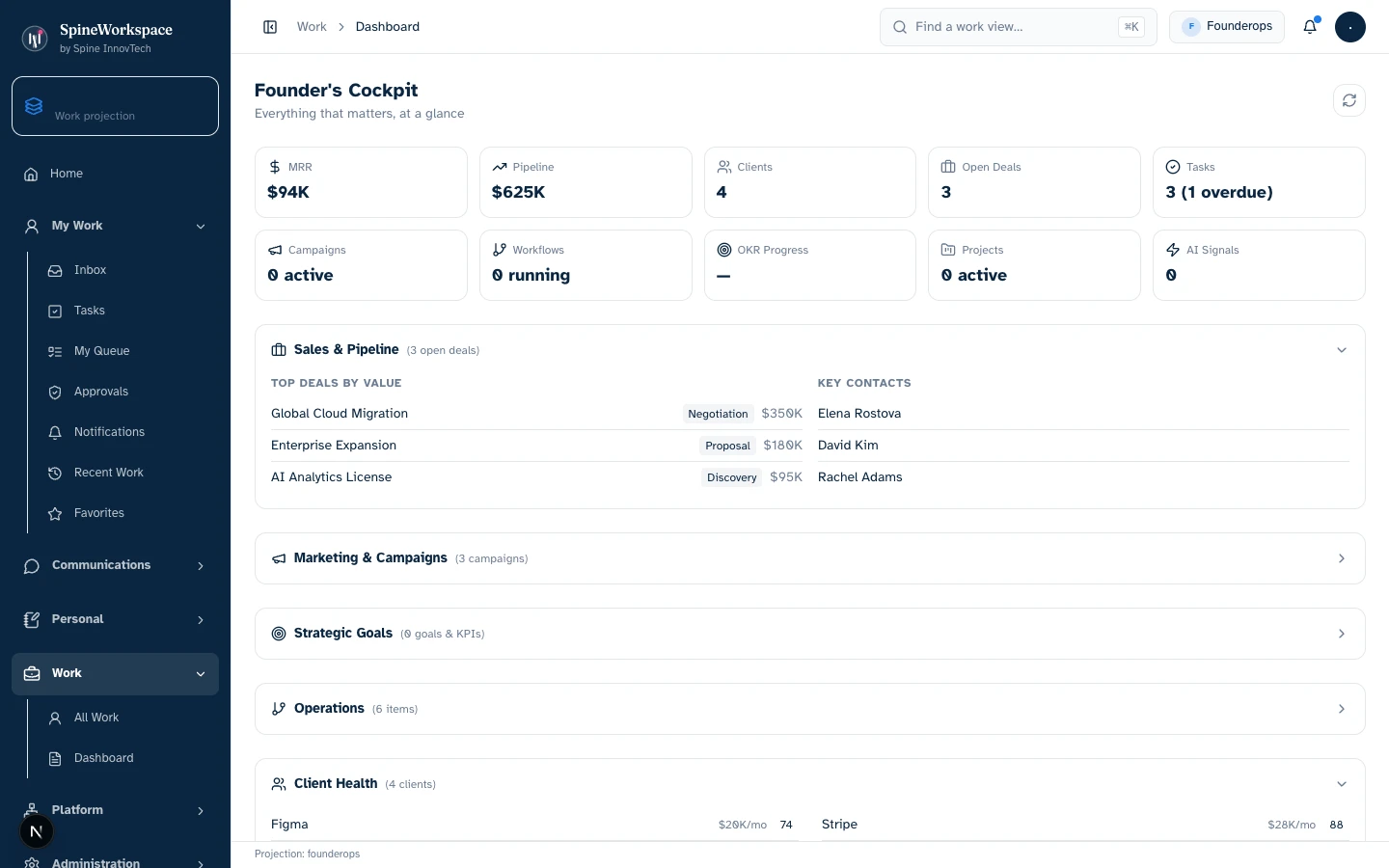
Founder Ops projection.Value Architecture · Founder Ops Workbench
High-level operational cockpit displaying demonstration fixture metrics: MRR ($94K), aggregate pipeline value ($625K), active client count (4), open deals (3), overdue tasks, top deals by value with named client contacts, and cross-company OKR progress.
Drill down into individual high-value deals, review company-wide operational items, monitor client health indicators, and direct executive attention to overdue commitments.
Eliminates piecing together revenue spreadsheets, pulling CRM deal reports, and scheduling status syncs just to know current business pulse.
Provides leadership with immediate, cohesive operating context across business systems without manual spreadsheet assembly.
Every visual asset is captured from the genuine local Spine Workspace Workbench application running real React components with deterministic demo state. Metrics and figures reflect demonstration fixtures, not audited production data. Projections adapt based on connected sources, credentials, and organizational permissions.
Explore the adaptive architectureWhy subscribe?
The subscription proposition is shared business understanding, continuity and governed coordination. Connect the meaning around existing work, prepare the next step with AI, and carry the decision and its outcome into the next review.
| What you already use | What SpineWorkspace adds |
|---|---|
| Your CRM, support, finance and conversation tools | Relationships and business context across authorized systems, while each source remains authoritative. |
| Your existing AI tools and hosts | Shared business context and continuity that can carry forward across work and sessions. |
| Your task and project tools | Priorities, ownership, related evidence and the history behind the next step. |
| AI-generated summaries | Preparation from relevant context, with proposals available for people to review. |
| Application permissions | Authority, approvals and execution evidence beside the connected work. |
Your existing application subscriptions remain separate. Confirm supported connections, AI-provider costs and included capabilities for your use case.
Discuss subscriptions and pricingMeasure the value in your work
Find the relevant information, compare records, reconstruct history, then determine the next action.
Start from an assembled, evidence-linked view, review proposed next steps, and preserve the outcome for future work.
Evaluate one real workflow with your team. Record a baseline for the same task and source systems, then compare these measures during the evaluation. Use the results to judge the value against subscription and setup costs.
These are evaluation measures, not published customer results or guaranteed savings.
Review a workflow with usTHE TECHNOLOGY UNDERNEATH
These layers work together as the SpineWorkspace architecture. They describe the technology behind the product, rather than separate availability commitments.
Business-context foundation
Connects entities, relationships, signals, decisions, evidence, and continuity.
Learn moreHuman work surface
Brings the relevant context and priorities into an adaptive workspace.
Learn moreAI counterpart
Gathers context, prepares work, and proposes informed next steps.
Learn moreExecution and assurance
Coordinates authorized execution, observation, and reconciliation.
Learn moreTools and integrations
Brings connectors, MCP servers, plugins, and reusable capabilities into the work.
Learn moreBUILT AROUND RESPONSIBILITY
Connected context should make responsibility clearer. Review the evidence, understand access and authority, and keep humans accountable for consequential decisions.
Explore security and governanceSEE IT IN CONTEXT
Talk with us about your use case, supported tools, and product availability.
Book a demo