Campaign context
Keep the objective, audience, channel plan, budget assumptions and owners together for a campaign.
Marketing
Programs, launches, and performance signals linked to goals, customers, and evidence.
Illustrative work context · not a live customer record
Connect campaign planning and performance to audiences, customer signals and business goals.
Keep the objective, audience, channel plan, budget assumptions and owners together for a campaign.
Relate permitted sales and support feedback to the audience problem and positioning decision.
Trace dependencies between content, product milestones, review and publishing responsibilities.
Compare channel signals with the campaign goal and changed assumptions before proposing adjustments.
These feature patterns use connected, permitted information. Supported systems and authorized actions are confirmed for your deployment.
Explore the real Workbench application. Every screenshot below is captured directly from the authentic codebase—preserving the canonical left navigation shell, role-specific Work projections, demonstration telemetry cards, and context-aware Spine Twin controls.
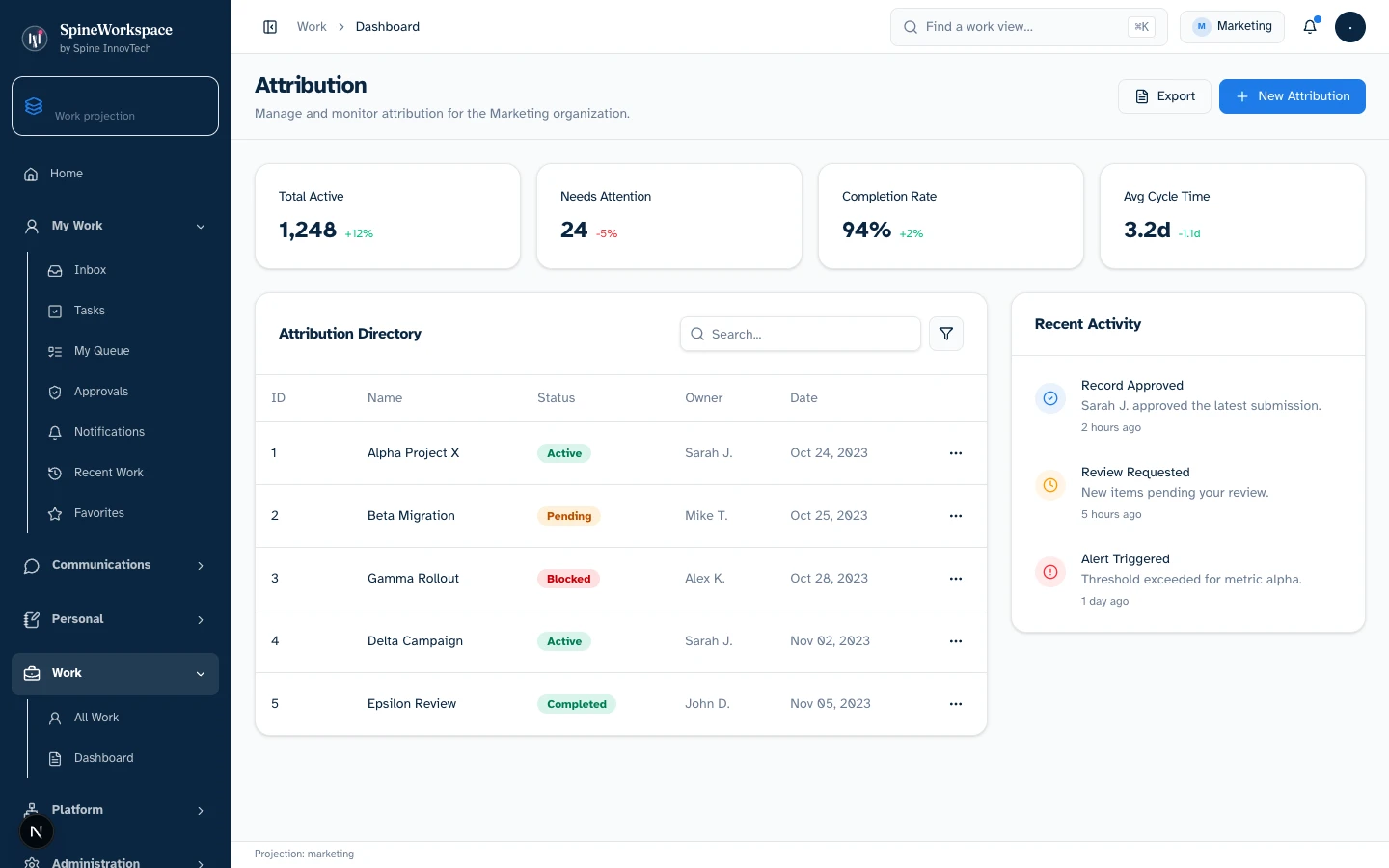
Marketing projection.Value Architecture · Marketing Workbench
Multi-channel campaign attribution cards, budget allocations, conversion signals, and audience acquisition funnels connected to downstream customer milestones (demonstration state).
Evaluate lead acquisition velocity, review campaign performance metrics, adjust channel mix, and verify downstream pipeline attribution.
Replaces manually stitching Google Ads, LinkedIn Campaign Manager, and CRM lead sources into third-party spreadsheet dashboards.
Clarifies the revenue contribution of marketing programs by connecting early engagement signals to verified commercial contracts.
Every visual asset is captured from the genuine local Spine Workspace Workbench application running real React components with deterministic demo state. Metrics and figures reflect demonstration fixtures, not audited production data. Projections adapt based on connected sources, credentials, and organizational permissions.
Explore the adaptive architecture01 / Situation
A launch campaign is receiving attention but generating fewer qualified conversations than expected.
02 / Twin prepares
Twin compares the brief, audience feedback and channel evidence, then prepares messaging and distribution options.
03 / Authorized next step
The campaign owner approves the revised plan and any changes to spend or publishing.
Considering SpineWorkspace for Marketing? Evaluate this workflow with your team and confirm the supported tools, included capabilities and subscription terms.
Explore subscriptions & pricingSpineWorkspace / Role-specific context
Coordinate work around business goals. This solution describes a work pattern, not a promise that a dedicated subdomain or connector is active. Product access and supported environments are confirmed through SpineWorkspace.
SPINE INNOVTECH / WHAT'S NEXT
Explore how our technology connects business context, human judgment and governed AI capability. Start with the company behind the thinking or meet SpineWorkspace, our flagship product.