Engagement context
Keep the agreed deliverables, milestones, acceptance criteria and owners together.
Services & Agencies
Margin, utilization, and billing risk — all connected. Stop finding out about problems when the invoice gets disputed.
Connect client commitments, delivery work and commercial scope for service teams.
Keep the agreed deliverables, milestones, acceptance criteria and owners together.
Relate a client request to the agreement, delivery effort and commercial implications.
Carry dependencies, blockers and customer expectations across the delivery team.
Connect completed work and acceptance evidence to the billing or project review.
These feature patterns use connected, permitted information. Supported systems and authorized actions are confirmed for your deployment.
Explore the real Workbench application. Every screenshot below is captured directly from the authentic codebase—preserving the canonical left navigation shell, role-specific Work projections, demonstration telemetry cards, and context-aware Spine Twin controls.
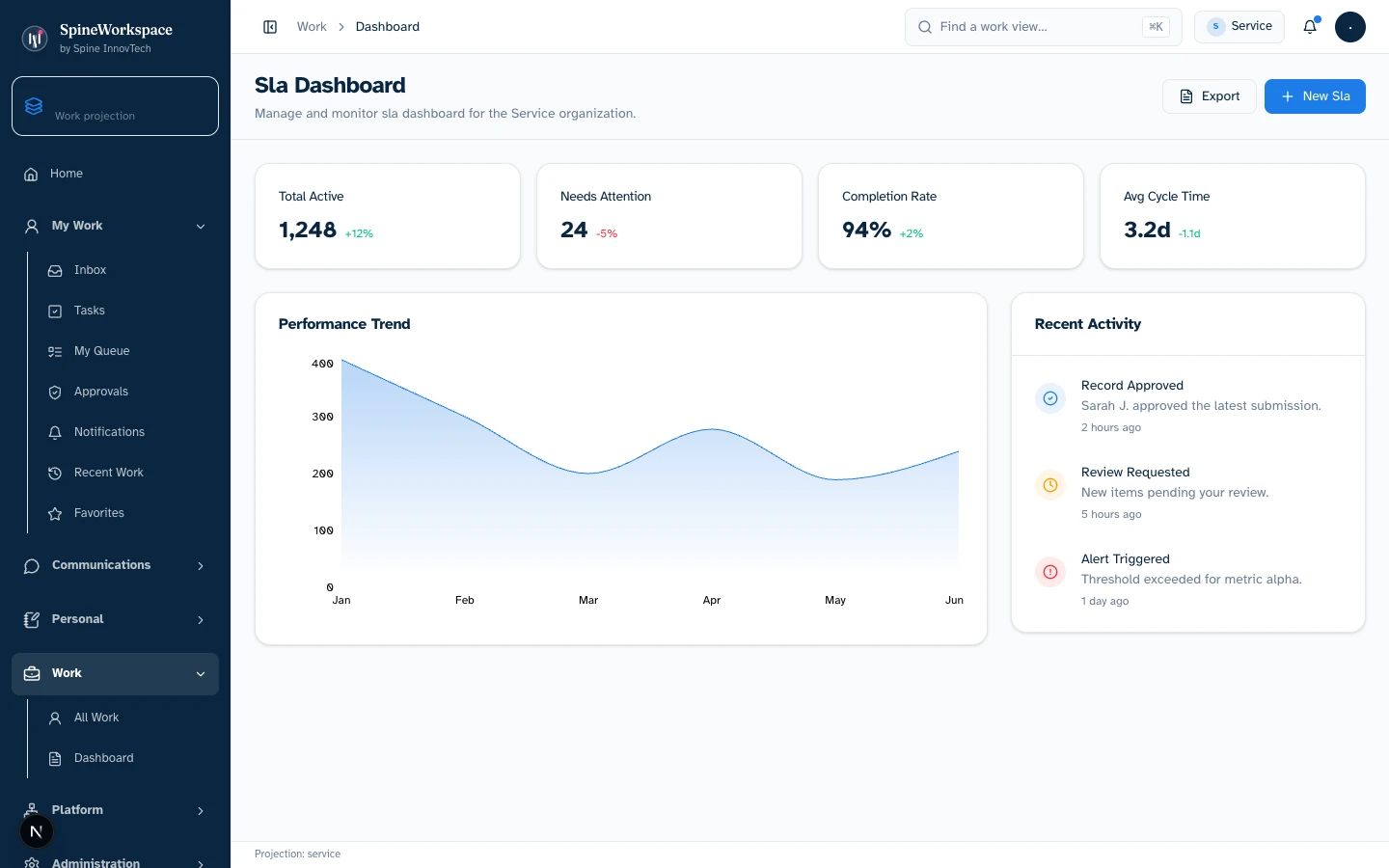
Services projection.Value Architecture · Services Workbench
Client delivery milestones, project SLA compliance rates, resource allocation timelines, and milestone deliverables (demonstration state).
Monitor implementation health, detect delivery delay risks early, and coordinate resource allocation across client projects.
Replaces weekly consultant utilization spreadsheets and manual SLA tracking across disparate client project boards.
Keeps professional services delivery on schedule, within scope, and aligned with contracted client milestones.
Every visual asset is captured from the genuine local Spine Workspace Workbench application running real React components with deterministic demo state. Metrics and figures reflect demonstration fixtures, not audited production data. Projections adapt based on connected sources, credentials, and organizational permissions.
Explore the adaptive architecture01 / Situation
A client requests additional work while a delivery milestone is at risk.
02 / Twin prepares
Twin prepares the agreed scope, new request, affected dependencies and options for delivery.
03 / Authorized next step
The engagement owner approves the scope or schedule change with the client.
Considering SpineWorkspace for Service Delivery? Evaluate this workflow with your team and confirm the supported tools, included capabilities and subscription terms.
Explore subscriptions & pricingIllustrative workflow examples, not measured customer results.
Hours logged in Harvest, billing in QuickBooks, client comms in Slack — nobody sees the full picture until month-end.
Scope creep happens task by task. By the time you notice, you've delivered work you'll never bill for.
Utilization reports come weekly. A project can go underwater between reviews.
Hours, budgets, scope changes, and client sentiment — all in one live project view.
AI flags when logged time diverges from the original scope. You get a heads-up while you can still have the conversation.
Real-time utilization signals. AI suggests reallocation when team members are misbooked.
Define success against your own baseline. These are evaluation areas, not measured customer results.
Jira, Asana, Harvest, Toggl, QuickBooks — linked in minutes, not weeks.
Hours burned vs. billed vs. scope — updated in real time, per project, per client.
When tasks outside the SOW start piling up, you see the warning before margin erodes.
Time logged but not invoiced? It surfaces as a signal — no more revenue left on the table.
AI drafts the scope conversation or billing adjustment. You decide what happens.
Hours logged, budgets burned, and scope changes — all connected. Know which projects need attention now.
AI flags when logged time is diverging from the original scope while you can still act.
Time logged but not invoiced surfaces as a signal. No more revenue left on the table.
See the full relationship — support tickets, payment patterns, and engagement — not just project status.
Rate changes and scope adjustments require your approval. AI identifies the risk — you decide what to do about it.
Connects with
KPIs tracked
Book a 20-minute walkthrough. We'll connect your systems and show you the difference live.
SPINE INNOVTECH / WHAT'S NEXT
Explore how our technology connects business context, human judgment and governed AI capability. Start with the company behind the thinking or meet SpineWorkspace, our flagship product.